← Back to Games
City Escape 2 Arcade Runner

City Escape 2 Arcade Runner

Developer: Pixel Perfect Games
Published: 2024-08-15
Updated: 2026-06-12
Advertisement

Reviews

City Escape 2 delivers a clean and responsive arcade experience. The controls are simple, allowing you to focus on timing your jumps and attacks. Each run feels different, encouraging you to improve your distance. The game runs smoothly in the browser with no lag. It is a great choice for short breaks or longer practice sessions. The lack of complex menus means you can start playing instantly. Overall, it offers good replay value for fans of distance-based action games.

Description

Game Introduction

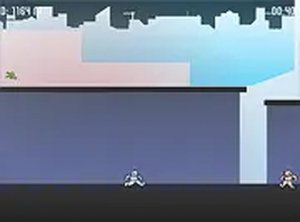
City Escape 2 is an exciting online arcade game that challenges your timing and precision. In this action-packed adventure, you guide a hero across a series of building rooftops, running and jumping from one roof to another while avoiding enemies along the way. As you progress, you can combine jumps with attacks to overcome obstacles and keep moving forward. The game offers a thrilling experience for players who enjoy fast-paced challenges. Best of all, it is free to play and runs directly in your browser, making it easy to jump into the action anytime.

How to Play

To play City Escape 2 on your desktop, use your keyboard or mouse to control your hero. Run across rooftops and time your jumps carefully to land on the next building. Watch out for enemies that appear along the way. You can launch attacks by combining movement with jumps to pass them safely. The more you play, the better you will get at mastering the game's moves. Try to beat your own record by running farther and faster each time. For a more immersive experience, you can play in full screen mode.

Game Features

City Escape 2 offers fast rooftop running with simple controls and endless replayability. The game challenges your timing and precision with each run. You can improve your skills by practicing jumps and attacks. The clean visuals and responsive controls make each session enjoyable. There is no need to download anything, as it runs directly in your browser. The game is built with Unity WebGL technology, ensuring smooth performance.

Tips for Success

To succeed in City Escape 2, practice your timing for jumps and attacks regularly. Focus on landing precisely on each rooftop to maintain momentum. Learn enemy patterns to anticipate obstacles and plan your moves. Use full screen mode to reduce distractions and improve concentration. Finally, set small goals for each run, such as reaching a new distance or improving your score, to stay motivated and track your progress.


Compatibility

This H5 game runs smoothly on:
• Desktop computers (Windows / Mac) • Mobile phones (iPhone / Android)
• Tablets (iPad / Android)
🌐 Best experienced with Chrome, Safari, or Edge
Faq
Is City Escape 2 free to play?
Yes, City Escape 2 is completely free to play. You can enjoy the full game without any cost, and it runs directly in your browser with no downloads required.
Do I need to install any software to play City Escape 2?
No installation is needed. City Escape 2 runs directly in your browser using Unity WebGL technology. Just open the game page and start playing instantly.
Can I play City Escape 2 on mobile devices?
City Escape 2 is designed primarily for desktop play using a keyboard or mouse. Mobile compatibility may vary, but for the best experience, use a computer with a keyboard or mouse.
What happens when I encounter an enemy in City Escape 2?
When you see an enemy, you can combine your jumps with attacks to overcome them. Timing your moves carefully helps you pass enemies safely and continue your run.
Is there a way to track my progress in City Escape 2?
The game encourages you to beat your own record by running farther and faster each time. Your best distance or score is typically shown on the screen so you can track your improvement.
Can I play City Escape 2 in full screen mode?
Yes, you can play City Escape 2 in full screen mode for a more immersive experience. Look for the full screen option in the game controls to expand the view.