Kids Coloring Book Game
Reviews
Description
Game Introduction
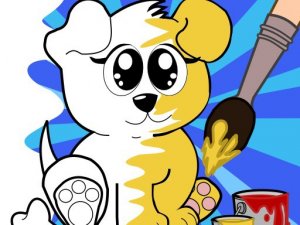
Welcome to the Coloring and Painting Book, a delightful and educational game designed for children of all ages. This interactive coloring app offers over 750 free coloring pages where kids can explore Alphabets ABC, Numbers 123, Farm Animals, Forest Animals, Fruits, Vegetables, Shapes, Colors, Transport Vehicles, and Toys. Beyond simple coloring, children can enjoy connecting dots, solving mazes, tracing shapes, glow coloring for fun, and even pixel art activities. It is a perfect way for young learners to develop creativity, fine motor skills, and early learning concepts in a safe, family-friendly environment. Gather your family and dive into a world of colorful fun and learning together.
How to Play
Getting started is easy and intuitive. Simply open the app and choose from a wide variety of coloring pages organized by themes like animals, fruits, or vehicles. Select your favorite colors from the palette and tap or drag to fill in the shapes. For more interactive fun, try connecting dots to reveal hidden pictures, navigate through mazes, or trace letters and numbers to practice writing. The glow coloring feature adds a magical touch, while pixel art challenges older kids to create detailed designs. Each activity is designed to be simple and engaging, encouraging kids to experiment with colors and patterns at their own pace.
Game Features
750+ coloring pages, learn ABCs and 123s, diverse themes like animals and vehicles, connecting dots and mazes, tracing and glow coloring, pixel art fun, family-friendly and safe.
Tips for Success
Encourage your child to start with simpler coloring pages to build confidence before moving to more complex designs. Use the tracing and dot-connecting activities to reinforce letter and number recognition. For a creative challenge, try the pixel art mode to develop patience and attention to detail. Regularly explore different themes to keep the experience fresh and engaging. Most importantly, let your child choose their own colors and patterns to foster creativity and self-expression.